mAutoFlow automatically converts C source code into readable flowcharts so you can debug, review, and onboard faster—without manual diagramming.
// Example
int compute(int x) {
int sum = 0;
if (x <= 0) return 0;
for (int i = 0; i < x; i++) {
if (i % 2 == 0) sum += i;
else sum -= 1;
}
return sum;
}
When documentation is missing, understanding logic becomes the bottleneck. A clear flowchart reduces cognitive load and helps teams move faster.
New engineer? Existing project? Visualize flow and ramp up quickly.
See conditions and loops at a glance, without reading line-by-line.
Understand intent faster, spot risky paths, and communicate clearly.
Simple workflow. No diagram tools. No manual drawing.
Drop a function or file snippet into the editor.
mAutoFlow parses control-flow (if/else/loops/returns).
Get a readable flowchart you can export or share.
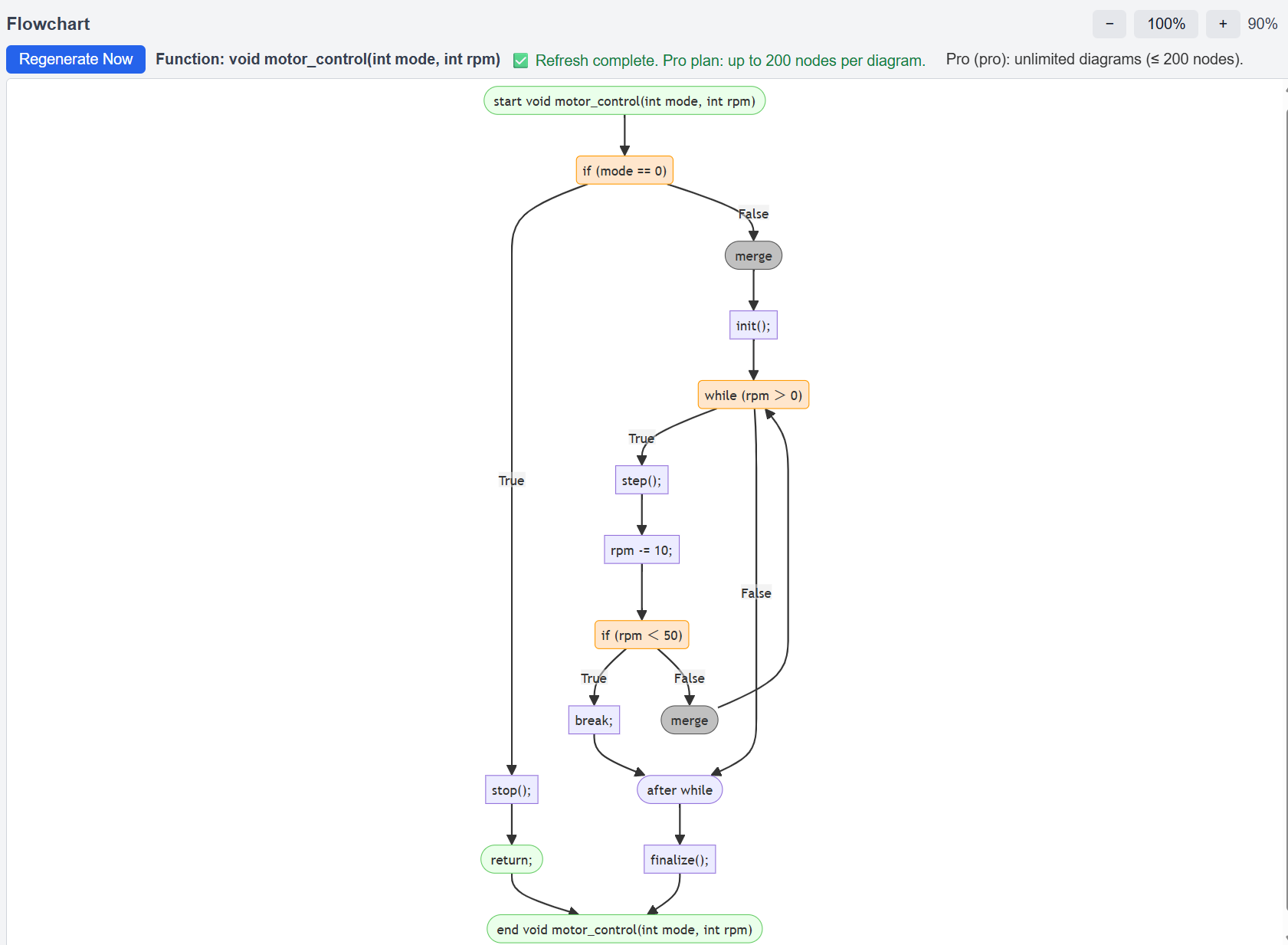
Show a real, slightly complex example (with if/else + loop). This section is where users decide “OK, this is useful.”
void motor_control(int mode, int rpm) {
if (mode == 0) {
stop();
return;
}
init();
while (rpm > 0) {
step();
rpm -= 10;
if (rpm < 50) break;
}
finalize();
}
mAutoFlow is most valuable when you inherit code, maintain legacy projects, or need to understand logic quickly.
Visualize control flow and reduce time spent reading unfamiliar code.
Make sense of complex branching and loops without manual diagrams.
Onboard faster with clearer understanding of the code’s intent.
Trust is a conversion feature. State your policy clearly and early.
Paste your code and get a flowchart instantly. Login is required to generate flowcharts.